Mastering Interface Design with the Player Adjustment UI Elements Kit
Designing a user interface for media players often feels like reinventing the wheel. You spend hours tweaking slider handles, aligning volume icons, and ensuring that the dashboard looks consistent across different screen sizes. Whether you are building a podcast app, a music streaming service, or a video learning platform, the devil is always in the details. This is where a dedicated resource like the Player Adjustment UI Elements Kit changes the workflow from a tedious chore into a streamlined process. It isn't just a collection of graphics; it is a practical toolkit designed to solve specific friction points developers and designers face when creating interactive media experiences.
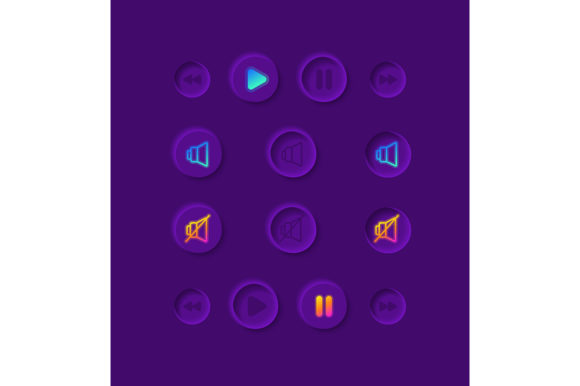
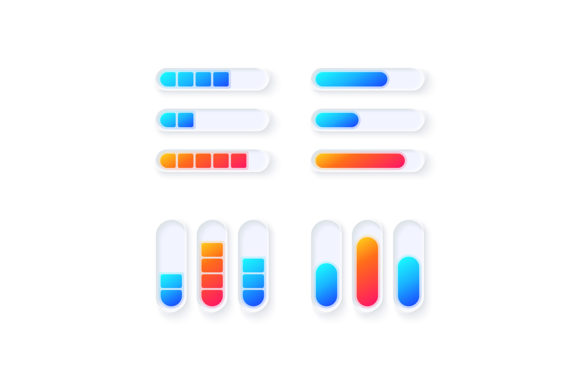
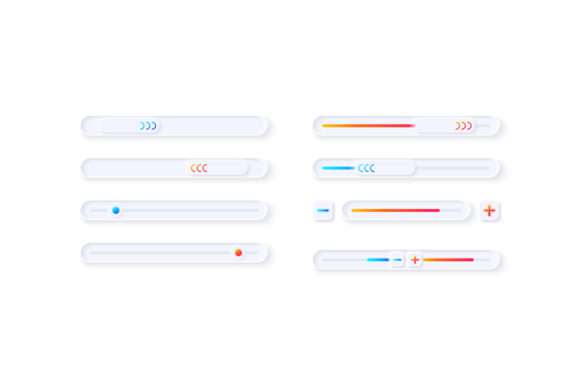
At its core, this kit provides a comprehensive set of vector icons, bars, and dashboard templates specifically tailored for multimedia tuning. Think of it as a modular toolbox containing every knob, fader, and button you might need to let users control their audio or video experience. The inclusion of formats like EPS, AI, SVG, PNG, and JPG ensures that whether you are working in Adobe Illustrator, Figma, Sketch, or coding directly in CSS, the assets integrate smoothly into your pipeline. The light theme interface included in the collection is particularly valuable because it offers a clean, modern aesthetic that fits seamlessly into contemporary web and mobile applications without requiring a complete visual overhaul.
Real-World Scenarios Where This Kit Shines
The true value of the Player adjustment UI elements kit becomes apparent when you look at how different professionals apply it in real situations. It is not limited to one industry; rather, it serves a wide array of creators who need to present media controls effectively.
Consider a freelance developer tasked with building a custom audio player for an independent musician's portfolio site. The client wants something that looks professional but doesn't distract from the album art. Instead of drawing every slider and equalizer bar from scratch, the developer can pull pre-made vector components from the kit. They can quickly assemble a dashboard that includes volume control, track progression bars, and play/pause toggles that match the site's light theme. This saves days of design time and allows the developer to focus on the functionality and responsiveness of the player.
In the educational sector, instructional designers creating e-learning modules often need video players that are intuitive for students of all ages. A cluttered interface can confuse learners and detract from the lesson. By utilizing the clean lines and clear iconography found in this widget collection, educators can ensure that the "adjustment" controls—like playback speed, caption toggles, and volume—are immediately recognizable. The isolated vector icons allow these elements to be scaled up for large classroom displays or scaled down for mobile tablets without losing clarity.
Entrepreneurs launching a new fitness app also benefit significantly. Imagine a running app that plays curated playlists. The user needs to adjust the volume or skip tracks while moving, often with sweaty hands and in bright sunlight. High-contrast, well-designed UI elements from a light theme kit ensure that these controls are visible and easy to tap. The dashboard templates provide a structured layout that keeps the essential controls within the thumb's reach, enhancing the overall user experience and reducing frustration during a workout.
Why the Format Matters for Your Workflow
One of the most practical aspects of this kit is the variety of file formats included in the ZIP file. In the real world, projects rarely stay static. You might start designing in Illustrator (AI/EPS), move to a prototyping tool that prefers SVG, and finally hand off PNG assets to a development team. Having all these formats available means you never hit a roadblock where you need to convert a file and lose quality in the process.
- SVG and EPS: Perfect for scalability. If you decide later that your volume slider needs to be twice as wide for a desktop view, these vector formats ensure the edges remain crisp.
- PNG and JPG: Ideal for quick mockups or when you need raster images for specific web implementations where vector support might be inconsistent.
- AI: Allows deep customization. If your brand colors require a specific shade of blue for the progress bar, you can open the source file and tweak the vectors instantly.
This flexibility is crucial for marketers and bloggers who might not have a dedicated design team. They can take the pre-designed dashboard templates, drop them into their content management system or landing page builder, and have a polished-looking media section ready in minutes. It democratizes high-quality design, allowing small business owners to present their video testimonials or product demos with the same level of polish as a tech giant.
Choosing the Right Elements for Your Project
Before diving in and downloading every asset, it is wise to consider the specific needs of your project. While the Player Adjustment UI Elements Kit offers a vast array of options, effective design is about restraint and relevance. Ask yourself: What adjustments does my user actually need? Do they need a complex equalizer, or just a simple volume toggle?
If you are building a minimalist podcast player, you might only need the play/pause buttons and a simple progress bar. Using too many elements from the kit could clutter the interface. Conversely, if you are designing a DJ mixing application for hobbyists, you will want to utilize the full range of faders, knobs, and tuning indicators available. The key is to map out the user journey first. Identify the moments where the user needs to intervene—pausing, rewinding, adjusting bass—and then select the corresponding UI elements that make those actions intuitive.
Another consideration is the light theme interface. While light themes are popular for their clean and airy feel, they require careful attention to contrast. Ensure that the white or light gray backgrounds of the widgets provide enough distinction against your app's background color. The isolated nature of the icons in this kit makes it easy to test them against different backdrops before finalizing your design.
Enhancing User Engagement Through Better Controls
Ultimately, the goal of any UI element is to facilitate interaction without drawing attention to itself. When a user adjusts the player settings, they want the result to happen instantly and predictably. A well-designed slider from this kit communicates affordance—it looks like it can be dragged. A clearly defined mute button prevents accidental silence. These subtle cues build trust between the user and the application.
For publishers releasing interactive magazines or digital brochures, embedding a media player with professional controls can significantly increase engagement time. Readers are more likely to watch an embedded video interview if the controls look familiar and easy to use. Similarly, hobbyists creating fan sites or community portals can elevate their content by replacing default browser players with custom skins built from these elements.
The multimedia tuner isolated vector icon set also allows for creative branding opportunities. Because the elements are vectors, you can recolor them to match your corporate identity perfectly. This consistency reinforces brand recognition every time a user interacts with the media player. It turns a generic utility into a branded experience.
Making the Decision to Integrate
Deciding to use a pre-made kit like this is often a decision to prioritize efficiency and quality. Building a UI system from zero requires not just design skills but a deep understanding of user behavior and technical constraints. By leveraging the Player Adjustment UI Elements Kit, you are standing on the shoulders of established design patterns. You get the benefit of tested layouts and professionally drawn icons without the hundreds of hours of labor.
However, remember that these are tools, not magic wands. They still require thoughtful implementation. You must ensure that the size of the touch targets meets accessibility standards, especially for mobile applications. You need to verify that the color contrast ratios comply with web accessibility guidelines. The kit provides the raw materials, but your judgment as a creator determines the final quality of the structure you build.
In a digital landscape where users abandon apps that feel clunky or unpolished, having access to high-quality, versatile UI elements is a strategic advantage. Whether you are a solo entrepreneur launching your first product or a seasoned designer looking to speed up your workflow, integrating these widgets can bridge the gap between a functional prototype and a market-ready application. The ability to quickly iterate on designs, test different layouts, and deploy a cohesive visual language is invaluable. By focusing on the practical application of these elements, you can create media experiences that are not only functional but enjoyable to use.